
How to Use Low-Code Automation to Connect Your Daily Apps Without Paying for Subscriptions
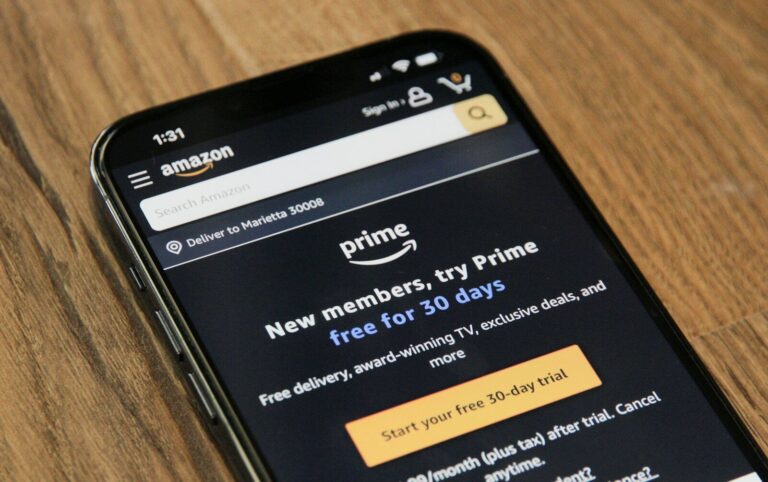
Every month, it’s the same quiet sting. You open your bank account and see a string of $15, $20, and $30 charges for SaaS tools you barely remember signing up for.
If you’ve ever tried to build a smooth, automated workflow—like sending your starred emails into your task manager or syncing calendar events across accounts—you’ve likely hit the “Zapier paywall.”
You set up a basic multi-step automation, and suddenly you’re told to upgrade to a $20/month tier just to keep it running. Hit your monthly task limit? That’ll be another upgrade.
Before you know it, you’re paying $300 a year just to make two apps talk to each other.
It feels like a tax on being organized. But there’s a much better way to connect your apps without giving away a monthly subscription fee.
The Catch Behind “Freemium” Automation
Hosted automation tools are convenient, but their business model relies on a simple trick: catching you right when your workflow becomes genuinely useful.
Free tiers usually limit you to two simple steps or cap you at a few hundred runs per month. The moment you want to filter an event, delay a task, or connect three tools at once, you hit a wall.
The reality: You aren’t paying for raw computing power—you’re paying for convenience. The servers running those little tasks cost pennies to operate, but you’re being charged premium prices for every single trigger.
Meet the Open-Source Alternative: Self-Hosting
Enter open-source automation engines like n8n (pronounced n-eight-n).
Unlike commercial SaaS platforms, n8n offers a self-hosted option that is completely free to run on your own hardware or a cheap cloud server.
[ Your Notes App ] ---> ( Your Free n8n Engine ) ---> [ Your Calendar / Tasks ]
Instead of paying per execution, you own the engine. You can trigger an automation five times a day or five thousand times a day—the cost stays exactly the same. Zero.
If the word “self-hosting” makes you want to close this tab, don’t worry. You don’t need a degree in computer science to do this. You can run it on an old spare laptop, a tiny $5/month cloud VPS, or even a local home server setup.
3 Workflows You Can Build This Weekend
Once you have an open-source automation hub running, you can connect your daily tools effortlessly. Here are three simple setups to get started:
1. The Instant Task-to-Calendar Sync
When you add a high-priority tag to a note in your favorite workspace (like Notion or Obsidian), have n8n automatically block out a 30-minute focus window on your Google Calendar.
- Why it matters: No more manually copy-pasting deadlines or forgetting to schedule time for action items.
2. Auto-Archiving Starred Emails to Notes
If you star an email in Gmail or Outlook, let your workflow extract the sender, subject line, and body text, then drop it directly into your daily note feed.
- Why it matters: You can clear out your inbox without losing track of important references or instructions.
3. Cross-Platform Reading List
Bookmark an interesting article link on your phone, and have your system cleanly append it to a weekly reading list draft, formatted with the title and date.
- Why it matters: It keeps your web browser free of 50 open tabs while building a personal knowledge base on autopilot.
How to Get Started Without Overcomplicating It
You don’t need to build a massive web of interconnected scripts on day one. Start small:
- Install n8n locally first. You can run it on your main computer via Docker or desktop installation just to play around with the visual editor.
- Pick ONE annoying manual task. Choose something simple that you do at least three times a day, like copying a link from Slack to your task list.
- Use pre-built templates. You don’t have to design workflows from scratch. Open-source communities publish thousands of free, ready-to-use blueprints that you can import with a single click.
Once you see your first workflow trigger automatically—without a single pop-up asking for your credit card—you’ll never go back to paying monthly fees for basic integrations.
What’s the most annoying manual task in your daily routine that you’d love to automate? Drop a comment below and let’s brainstorm how to set it up for free!